






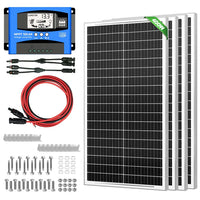


● Built-in industrial microcontroller for automatic management, compatible with 12V and 24V systems, memorizes various parameters set by the user.
● Suitable for different types of batteries
● Functional LCD display, easy to install and operate.
● Three-stage PWM control charging, fast and intelligent charging, effectively prolonging the life of the battery
● Multiple intelligent protection, will not damage the controller.
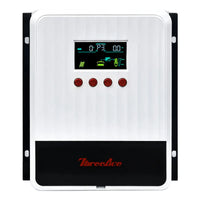
30A Solar Charge Controller:
1: LCD display 2: Automatic identification 12V/24V 3:High performance chip
4: Automatic memory data storage 5: Multiple intelligent protection
6: PWM charging 7: Simple and easy to install

|
|
|
|---|---|
|
Standard size PBC board, four screws fixed PBC board, electronic components stable performance, Dual mosfet Reverse current protection, low heat production. |
The connecting port with large section and large spacing can be installed with 6mm wire. The spacing of 9.5mm increases the insulation performance and the possibility of installation, effectively reduces the voltage drop of the circuit and reduces the loss. |


System connection
-
-
- Connect the positive and negative terminals of the battery to the controller according to the figure, and the controller will automatically detect the battery voltage.
- Connect the positive and negative poles of the load to the controller according to the diagram, and be careful not to reverse connection.
- Connect the solar panel to the controller as shown in the figure.
-

Panel status indicator and setting
-
-
- Menu key: Switch to the parameter screen, or hold down the function key to enter or exit parameter setting
- Flip up: On the parameter setting screen, tap once to add one step to the parameter
- Flip down: On the parameter setting screen, tap once to lower the parameter one step down
- Browsing interface: Press the menu key to browse various aspects and parameters
- Set parameters: On the screen 2-5, hold down 55 to scroll up to enter manual setting. At this time, the numbers will blink. Press up or down to adjust parameter values
-

Safety instructions:
-
-
- Please install the charger controller on a flat, well-ventilated place (indoor)
- The LCD screen has an error of 0.2V to 0.3V, but this is normal.
- The charge regulator is only suitable for lead-acid batteries: OPEN, AGM, GEL, it is not suited for nickel hydride, lithium, Liions, or other batteries.
- This controller can only use photovoltaic panels as charging power. Do not use DC or other power as charging power.
-
Specification
Frequently Asked Questions
1. Are KRANK tools built for professional use?
Yes, all our tools are engineered for heavy-duty performance and long-term reliability.
2. Are KRANK tools safe to use for beginners?
Yes, our tools are designed with safety features and easy handling in mind.
3. Can KRANK tools be used in extreme conditions?
Yes, they are tested to perform reliably in demanding environments.
1. What maintenance is required for the tools?
Regular cleaning and proper storage are usually enough to keep your tools in top condition.
2. Can replacement parts or accessories be purchased separately?
Yes, we provide compatible parts and add-ons to extend the life of your tools.
3. Do you provide instruction manuals or usage guides?
Every tool comes with a detailed user manual, and digital guides are available online.
1. Do the tools come with a warranty?
Every KRANK tool includes a 1-year warranty, with extended options available on select products.
2. How do I register my KRANK tool for warranty coverage?
You can register online using your product serial number for faster support.
3. What does the warranty cover?
It includes defects in materials and workmanship under normal use conditions.
4. Is there an option to extend the warranty?
Yes, extended warranty plans are available for select tools at checkout.
Recently viewed
Last seen items