
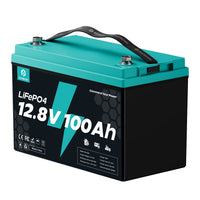

Lithium batteries (LiFePO4) are increasingly prevalent in everyday applications. What should you do when encountering problems with your lithium battery? Explore these frequent issues and their troubleshooting remedies!
1. Reduced Capacity / Inadequate Power Storage
Solution: Maintain the battery in a 25°C (77°F) environment, fully charge the battery, then discharge it completely at a 0.5C rate. Cold temperatures, excessive charging/discharging currents, and measurement instrument precision can all impact test outcomes.
Note: "0.5C" refers to the battery's current rating—for instance, a 100Ah battery at 0.5C equals 0.5 × 100 = 50A.
2. Lithium Battery Won't Accept Charge
(1) Charger incompatibility with the battery.
Solution: Utilize a lithium battery-compatible charger and configure the charging current to 0.5C or lower.
(2) Battery is in BMS low-voltage protection mode, disconnecting the output terminal.
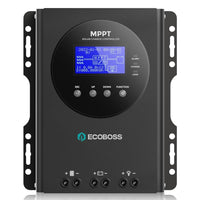
Solution: Reactivate the lithium battery prior to charging, or switch to a charger (or solar charge controller) equipped with activation capabilities.
3. Lithium Battery Won't Provide Power
(1) Battery has entered BMS protection mode due to low voltage.
(2) Elevated battery temperature has activated BMS high-temperature protection.
(3) Excessive discharge power has triggered BMS discharge over-current protection.
Solution: Completely charge the battery before attempting discharge, and verify that discharge parameters remain within the battery's permitted specifications.
4. Battery Won't Reach Maximum Rated Voltage
(1) Incorrect charging voltage configuration on battery charger or improper voltage/battery type selection on solar controller.
(2) Temperature protection or charging over-current protection has been triggered.
**(3) Cell consistency within the battery has diminished through repeated cycling. The battery may not reach maximum rated voltage under these conditions. This represents normal behavior and doesn't compromise battery functionality.
Solution: Select the appropriate charger, or configure the solar controller's charging voltage to proper levels. Additionally, verify that charging rate stays within the battery's acceptable parameters, and maintain the battery in optimal temperature and well-ventilated conditions.
5. Battery Won't Discharge to Minimum Rated Voltage
(1) Elevated cut-off discharge voltage of the connected device may cause the battery to cease operation during discharge.
(2) Temperature protection or discharging over-current protection has been activated.
**(3) Cell consistency within the battery has deteriorated through extended cycling. The battery may not discharge to minimum rated voltage under these circumstances. This constitutes normal operation and won't impact battery performance.
Solution: Verify whether the load device's cut-off voltage is appropriately set and confirm that discharge rate remains within the battery's acceptable limits.
6. Battery Charges Rapidly and Depletes Quickly
(1) Charging and discharging current surpasses rated specifications.
(2) Battery capacity has degraded from prolonged usage.
Solution: Ensure charging and discharging current stays within the battery's reasonable operating range, or replace with a new unit if the battery lifespan approaches its maximum service life.
7. Battery Voltage Surpasses Maximum Rated Voltage
(1) Battery voltage may reach BMS protection threshold when fully charged in solar systems, causing the BMS to shut down. The voltage shown by the controller reflects the solar panel voltage, not the actual battery voltage.
(2) One battery's BMS has entered shutdown protection mode when multiple batteries are connected in series. The voltage reading at this point doesn't represent the true voltage of the battery bank.
Solution: Disconnect batteries from the battery bank and test each unit individually.


